
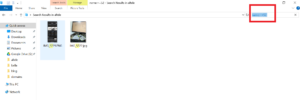
The default search function in Windows File Explorer is terrible! When you type a keyword, it searches for that exact term only. So if your filename contains that keyword combined with other characters, it won’t return any results.
To fix this, try using the following search string:
name:~=
name:~=
After the equals sign (=), simply type the term or keyword you’re looking for. E.g. if I need to search for all files which has term word2 within then I will use name:~=word2
It will then return all matching files on your computer.
That’s it!